
In enrollment and school operations, clarity isn’t just nice to have — it’s essential. Every day, staff make decisions that shape a family’s experience: from eligibility verification to waitlist prioritization to transportation planning. Yet when teams are buried in spreadsheets, manual labels, or inconsistent notes, it’s all too easy for important work to slow down or slip through the cracks.
That’s where Avela’s automatic tagging capabilities make a real difference. Rather than relying on staff to manually label applications, Avela can categorize records automatically based on clear rules — giving teams consistent, reliable signals that power smarter, faster decisions across the enrollment lifecycle.
This article explores how schools use rule-based tagging and enrollment automation in Avela to support real operational use cases — not just features on a settings page.
What Is Automatic Tagging in Enrollment Systems?

Automatic tagging allows enrollment platforms to apply tags to student applications automatically when specific conditions are met — such as sibling relationships, form responses, or geographic location.
These system-applied tags function as structured metadata that staff can use to filter applications, trigger workflows, and make enrollment decisions with confidence.
Operational research across education and public-sector administration shows that automation reduces repetitive tasks, lowers error rates, and accelerates decision-making, especially in high-volume processes like enrollment. This enables staff to spend more time supporting families and less time managing data
In Avela, automatic categorization is commonly implemented through three high-impact use cases:
1. Sibling Rules — Keeping Families Together Without Manual Tracking
Many schools offer enrollment priority to siblings, it is a common enrollment policy. With Avela’s sibling rules, staff can automatically categorize related applications when one sibling’s status changes — ensuring policies are applied consistently and fairly.
Common use cases include:
Automatically identifying students eligible for sibling preference.
Applying priority signals to waitlisted siblings without manual review.
Maintaining consistent labeling across families and enrollment cycles.
Why it matters: staff no longer need to manually cross-check family relationships — the system updates tags automatically, even as choices and response status change.

2. Answer-Based Categorization — Turning Form Responses Into Signals
Application forms collect valuable information, but that information is only useful if it drives action. With answer-based rules, Avela can automatically apply tags based on how families respond to certain questions — such as program interest, eligibility criteria, or support needs.
Typical cases include:
Categorizing applicants based on program selection.
Flagging students who indicate language or service needs.
Identifying applications that require additional review or verification.
This approach transforms form answers into structured, actionable data, helping teams move faster while staying consistent.
3. Location-Based Rules — Using Geography Without Manual Lookups
Address data is often critical for enrollment decisions — but manually validating locations is time-consuming and error-prone. With location-based automatic tagging, Avela evaluates address responses and categorizes applications based on boundaries, zones, or residency rules defined by the organization.
Enrollment operations use cases include:
Automatically identifying in-boundary vs out-of-boundary applicants.
Categorizing students eligible for their choices, or even for transportation areas.
Segmenting applications by attendance zone or district area.
This gives staff geographic clarity without relying on external tools or manual checks.
What Staff Actually Gain From Automatic Categorization
Automatically applying tags isn’t just a technical improvement — it directly impacts how teams work day to day.
Faster enrollment workflows
Rule-based tagging replaces repetitive manual steps, reducing processing time during peak enrollment periods.
More accurate prioritization
Consistent system-applied tags ensure policies are enforced fairly across all applicants.
Stronger communication workflows
Tags can power downstream messaging, reporting, and internal review processes — keeping staff and families aligned.
Higher data reliability
Studies on structured tagging and metadata systems show that automation improves operational accuracy compared to manual classification methods.
Best Practices for Using Automatic Tagging Effectively
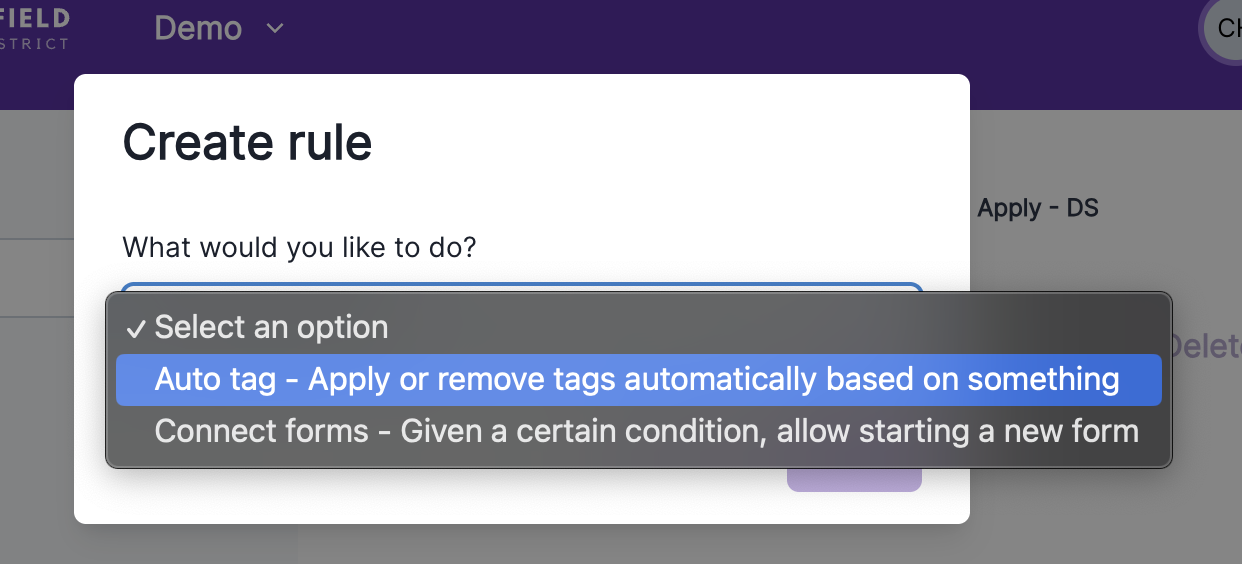
To get the most value from automatic categorization in Avela:
Design rules around outcomes. Start with what staff need to act on — not just what data exists.
Use clear, operational tag names. Tags should be immediately understandable and actionable.
Review rules each enrollment cycle. Policies evolve — automation should too.
Connect tags to workflows. Use automatic categorization to drive filters, reports and communication. Combine Autotagging with Saved Views and Scheduled Exports for powerful automated workflows!
Conclusion: Automatic Tagging Enables Better Work — Not Just Faster Work
When implemented thoughtfully, automatic tagging does more than save time — it reshapes how teams operate.
By translating rules into consistent system-applied signals, staff can focus less on administrative cleanup and more on supporting families through meaningful moments in the enrollment process.
Whether you’re prioritizing siblings, acting on form responses, or applying geographic eligibility rules, Avela’s automatic categorization tools provide a strong foundation for smarter, more equitable enrollment workflows.
Request a demo of Avela’s enrollment management platform to see how your school or organization can delight families and empower admins with modern enrollment tools.
