
Picture a parent at the kitchen table after bedtime. Instead of typing "middle schools near me" and opening 10 tabs, they ask ChatGPT: "Which public middle schools near Oakland have strong arts programs, and when are applications due?"
They get one tidy answer. It names a few schools, summarizes what each is known for, and maybe links to an application. If your school isn't in that answer, or the answer has last year's deadline, you may never hear from that family.
This is already happening. In a 2026 EAB survey of 2,515 parents of high schoolers, 57% said they used AI tools to research and compare colleges. It's a safe bet the same parents are asking AI about K–12 schools, too.
The good news is that you don't need a new website or a special technical trick. At CSDC 2026, we sat in on a session about this exact topic, and its framework was refreshingly simple. Your website needs to be discoverable, understandable and actionable. Below we walk through each one, with the presenters' advice plus what Google and OpenAI say publicly about how their AI tools find and use your content.
The framework: discoverable, understandable, actionable
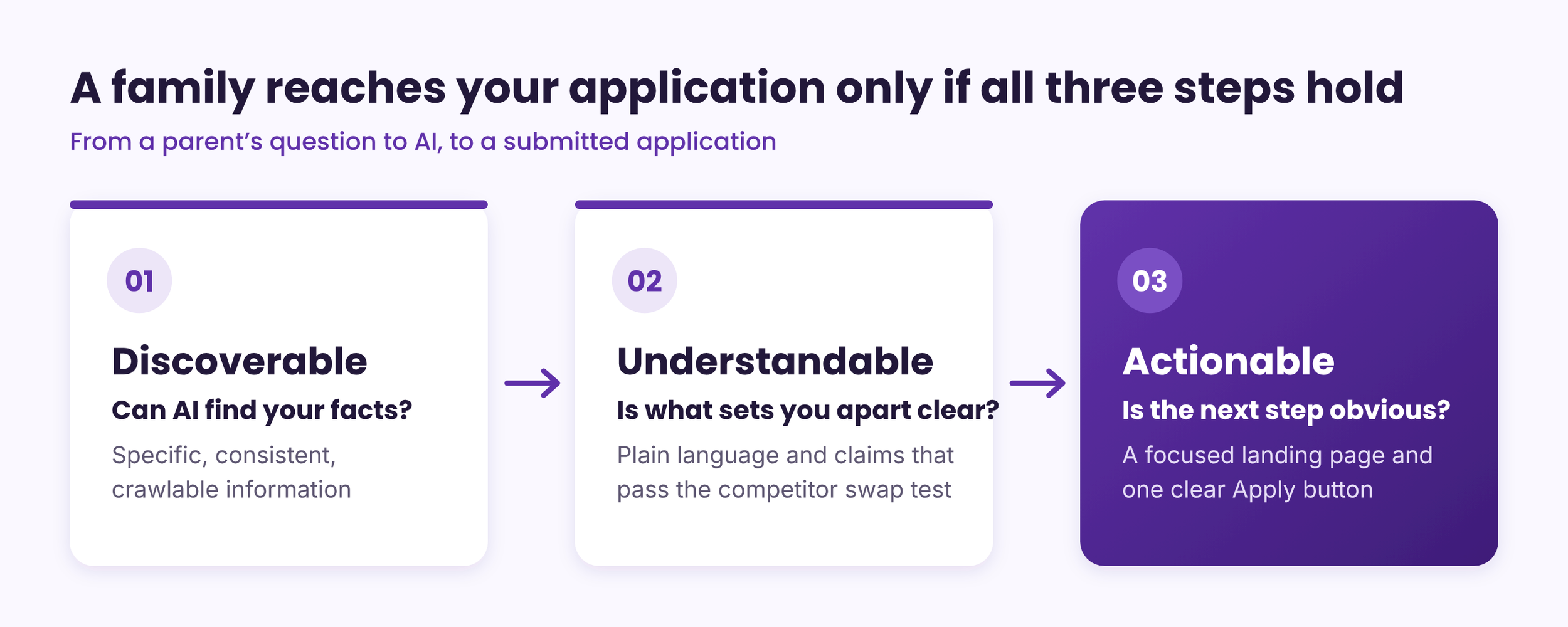
Think of these as three links in a chain. A family only reaches your application if all three hold.
1. Discoverable: Can AI find your facts?
Publish specific, consistent information in places AI tools can actually read.
2. Understandable: Is what sets you apart clear?
Use plain language, and make claims that pass the competitor swap test.
3. Actionable: Is the next step obvious?
Give families a focused landing page with one clear Apply button.
AI can't recommend you if it can't find you. Families won't choose you if they can't tell what's special about you. And interest only turns into an application if the next step is easy.
1. Discoverable: can AI find your most important information?
AI tools can only repeat what they can find and trust. If your bell schedule lives in a PDF, your application deadline is only in a Facebook post, and your homepage says "excellence" four times, the AI has very little to work with.
The CSDC presenters' first rule: specific answers beat generic claims. A paragraph stuffed with keywords does less than a page that walks through how a student actually experiences each stage, from the first tour to the first day.
The habits that make a site discoverable:
Answer real questions. Use the ones your front office hears every week: "Is there a bus?" "Do you have a waitlist?" "Can siblings get priority?" Give each one a clear, plain answer on the page.
Publish specific facts. Grades served, enrollment size, start and end times, application windows, lottery dates, tuition (free!), transportation, before- and after-care, meals, special education services and languages spoken.
Keep facts consistent everywhere. If your website says applications close March 1 and your Google Business Profile says February 15, AI may repeat either one. Check your site, Google Business Profile, state and district directories, GreatSchools, Niche and social bios.
Use a logical page structure. One topic per page, descriptive headings ("How to apply" beats "Get started!"), and real text instead of text baked into images.
Make it accessible. Accessible sites are easier for AI to read, too. Alt text, real headings and readable PDFs help screen readers and AI tools alike. (More on the legal side in the sidebar below.)
For public schools: the accessibility deadline is coming. Under the Department of Justice's ADA Title II rule, state and local government websites must meet WCAG 2.1 Level AA. In April 2026, DOJ pushed the deadlines back a year: to April 26, 2027 for larger entities and April 26, 2028 for smaller ones, and that extension is being challenged in court. Talk to your counsel about which deadline applies to you. Either way, an accessibility review pays off twice: once for families who rely on assistive technology, and again for AI search.
Make it crawlable. Key information belongs on actual web pages, not only inside PDFs, images, embedded calendars or pages behind a login.
Metadata matters, too. Every important page should have its own page title and meta description that says what's on it in plain words, like "Apply to Lincoln Elementary for 2027–28 | Lottery dates and FAQ." Most website platforms (Squarespace, Finalsite, WordPress and others) let you edit these without a developer.
Two technical checks worth five minutes
Don't accidentally block AI search tools. Some sites block every AI crawler by default. According to OpenAI's documentation, sites that block its search crawler, OAI-SearchBot, "will not be shown in ChatGPT search answers." Its training crawler, GPTBot, is a separate setting. You can block training while still allowing search. Ask your web vendor what your robots.txt file allows.
Skip the gimmicks. You may hear about special "AI files" (like llms.txt) or AI-only markup. Google's own guidance says you don't need them to appear in its AI features. Clear, helpful, crawlable content is what counts. Standard structured data for your organization is still worth having, but it isn't a magic switch.
2. Understandable: can a busy family quickly see what makes you different?
Here's the line from the session that stuck with us: you're answering human questions, because that's who AI is serving. AI tools are trying to give a parent a useful answer. If your website is written for a school board, an accreditor or a keyword list, that usefulness gets lost on the way.
That means writing the way families talk:
Say "Your child will have the same advisor for all four years," not "We leverage a cohort-based advisory model."
Explain acronyms and programs the first time they appear (what is a dual-immersion strand?).
Cover the stuff parents actually worry about: safety, class sizes, homework, how you support kids who are behind or ahead, and what a normal day looks like.
Offer key pages in the languages your families speak, as real translated pages rather than only a translate widget.
Try the competitor swap test
This was our favorite tip from the session. Read each claim on your homepage and ask: could the school down the street say the same thing, and would it be true? If so, it isn't telling families (or AI) anything. Rewrite it into something only you can say.
Generic: "We provide a rigorous, well-rounded education."
Specific: "Every 8th grader takes Algebra I, and 92% passed the end-of-course exam last year."
Generic: "We're a caring community."
Specific: "Each student has an advisor who calls home every month, not just when something's wrong."
(These are illustrations. Use your own real numbers, and only claims you can back up.)
3. Actionable: can families easily take the next step?
Getting found is only half the job. When a parent clicks through from an AI answer, where do they land, and is it obvious what to do next?
This is where landing pages come in. A homepage has to serve everyone: current families, staff, the board, the press. A landing page has one audience and one job, like "Apply for kindergarten" or "Explore our dual-language program." A focused page like this also gives AI tools a clear, specific place to send families.
The landing page checklist
The session's six must-haves, with our notes:
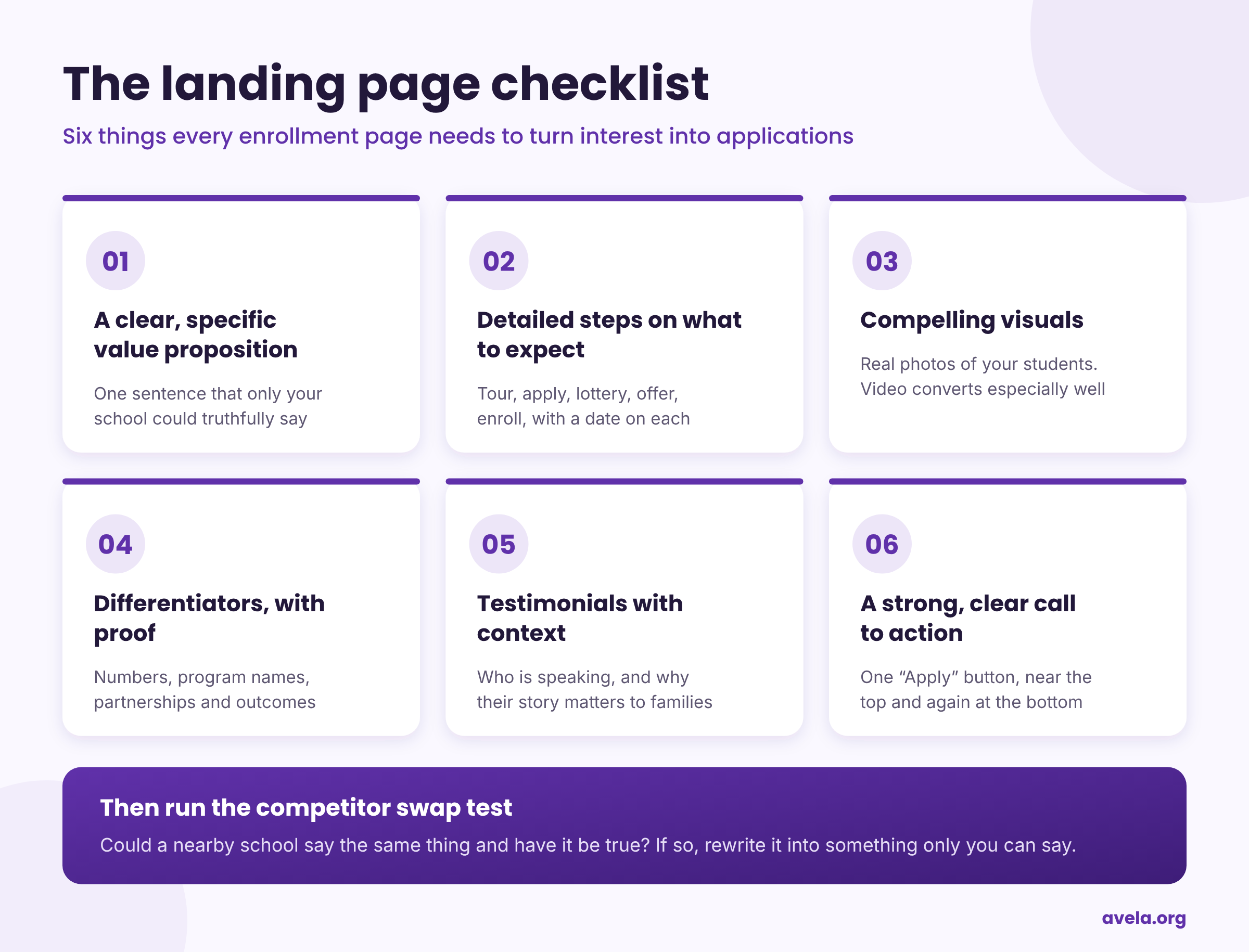
A clear, specific value proposition. One sentence that passes the competitor swap test.
Detailed steps on what to expect. Tour, application, lottery, offer, registration, first day: put dates on every step you can.
Compelling visuals. Real photos of your students and classrooms (with permission), not stock photos. Video converts especially well. Even a 60-second phone video of a student walking a parent through a normal day is powerful.
Detailed differentiators, with proof. Numbers, program names, partnerships, outcomes.
Testimonials with context. "Maria, parent of a 3rd and 6th grader, who switched from a school with 32 kids per class" is far more convincing than "Great school! — A parent."
A strong, clear call to action. One primary button ("Start your application") that shows up near the top and again at the bottom.
The last step matters most. If "Apply" sends a parent to a PDF to print, or to a form that doesn't work on a phone, you lose families at the very moment they decided to choose you. A mobile-friendly online application, ideally in the family's language, is part of being actionable too.
Keep it fresh: a simple maintenance routine
AI tools will repeat stale information as confidently as current information. The session recommended a routine that's realistic even for a small team:
Weekly: Review the questions coming into your inbox and front office. Update time-sensitive notices and enrollment information, like deadlines, open seats and tour dates.
Monthly: Look for content gaps. Which family questions don't have a clear answer on your site yet? Add them.
Quarterly: Audit your priority pages (homepage, enrollment, and each school or program) for accuracy, accessibility and search visibility.
A tip: when enrollment season wraps, put next year's dates on your site right away, even if they're tentative ("Applications open in early January"). An empty page invites AI to fill the gap with last year's information.
Run your own AI audit
This takes 20 minutes and is surprisingly revealing. Open ChatGPT, Google (look at the AI Overview at the top), Gemini or Perplexity, and ask the questions a parent would:
"What are the best [elementary / middle / high] schools in [your city] for [your strength]?"
"How do I apply to [your school or district], and when is the deadline?"
"What makes [your school] different from [nearby school]?"
"Does [your school] offer transportation / after-care / special education services?"
Then ask directly: "What do you think of [your website URL]? What's missing or confusing for a parent?"
Write down anything that's wrong, outdated or missing, and trace it back to the page (or third-party site) where the AI got it. That list is your to-do list. If Google Search Console is set up for your site, check it as well. It now includes reporting on how your pages perform in Google's AI features.
Where to start this week
You don't need to rebuild your website. If you only have an hour, do these three things:
Run the AI audit above and note what's wrong or missing.
Fix your enrollment page first. Make sure it has current dates, plain-language steps and one clear "Apply" button.
Run the competitor swap test on your homepage headline, and rewrite one claim.
AI hasn't changed what families want from a school website. They want honest, specific answers and an easy next step. It has just made the cost of not providing them more visible.
At Avela, we spend every day helping districts and charter schools make enrollment simpler for families, from the first search to the first day. If your website gets families to the "Apply" button but the process falls apart after that, we'd love to talk.
