
We're excited to share that Avela's administrator homepage now features a fully redesigned enrollment dashboard — a real-time command center that gives district and school leaders an instant, comprehensive view of where families are in the enrollment process.
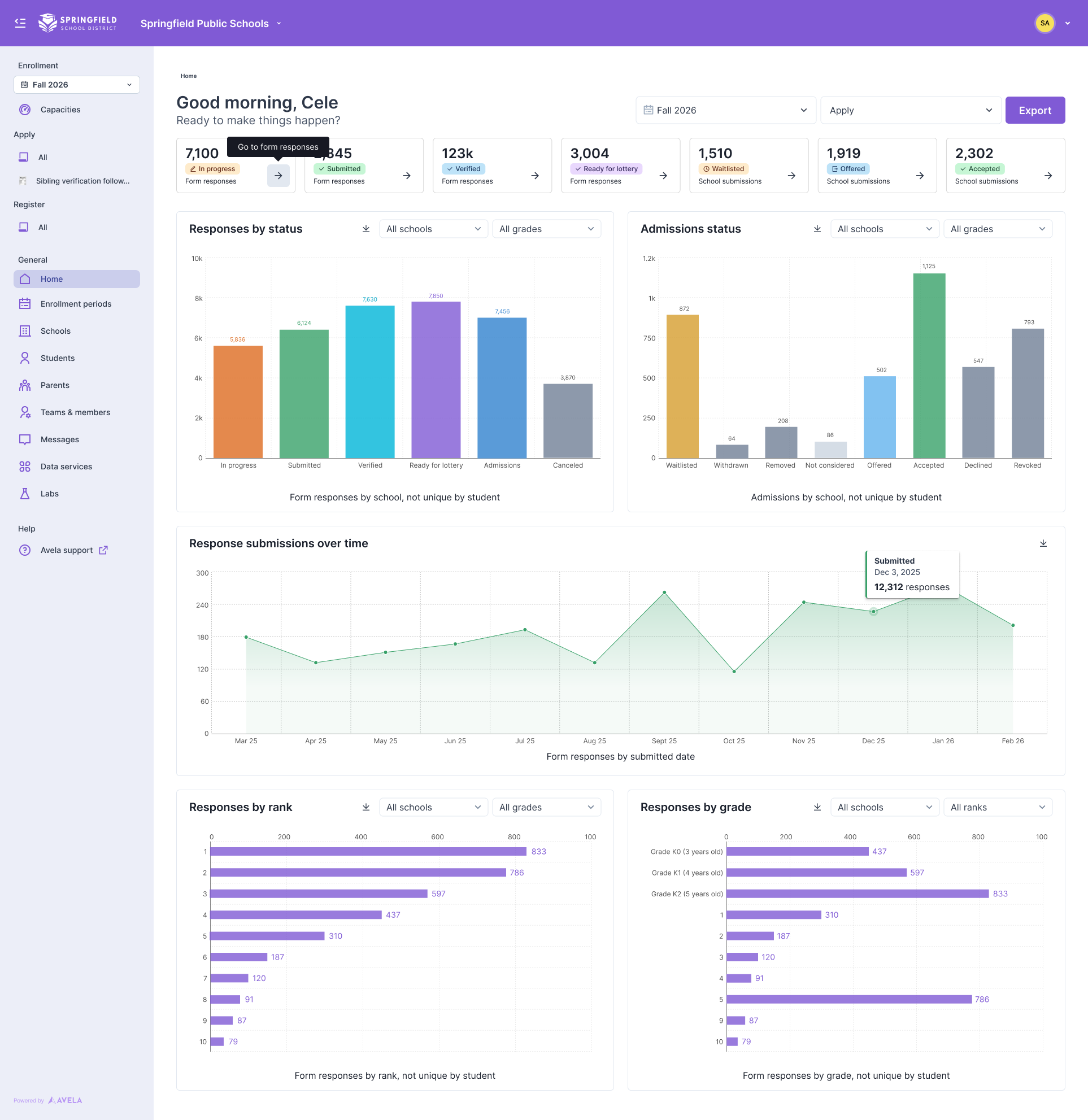
The Avela admin dashboard — available now to all district and school administrators.
Why We Built It
Running school enrollment is a high-stakes, high-volume operation. Before this dashboard, administrators relied on lists and exports to piece together the picture of where things stood. How many families had submitted? How many offers had been extended — and accepted? Were applications coming in steadily, or was there a surge that needed attention?
The new dashboard answers all of these questions the moment you log in — it's the first thing you see when you open Avela, and it's designed to orient you instantly, without a single additional click.
What You’ll See
The dashboard is organized around the full arc of the enrollment journey, from a family's first form submission all the way through accepted offers and school registrations. At a glance, administrators can track:
Form response counts: broken down by status — in progress, submitted, verified, and ready for lottery
Admissions status: across all schools, including waitlisted, offered, accepted, declined, and revoked seats
Submissions trends over time: so you can see when applications are peaking across the enrollment season
Responses by rank and by grade: giving you an immediate read on which schools and programs families are prioritizing
Every chart is filterable by school and by grade. And because not every administrator needs — or should have — the full picture, the dashboard is role-aware: district and organization admins see data across all schools, while school-based staff see only the data for their assigned campuses. The right information, for the right person, automatically.
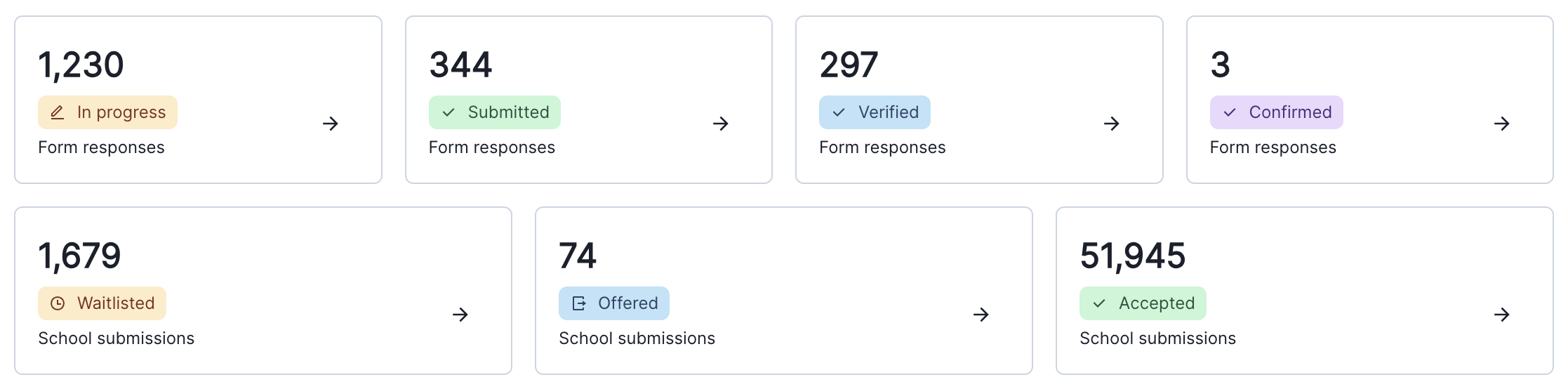
Status summary cards
From Insight to Action, Instantly
The dashboard isn't just a reporting tool — it's a launchpad. Click on any status category and you'll land directly in a filtered list of the families in that stage, ready for you to take action: send a message, update a status, make an offer.
That kind of seamless handoff between visibility and action is exactly what we were going for. Administrators shouldn't have to re-navigate the system every time a number on the dashboard catches their eye.
A Better Experience for Everyone
We often talk about making enrollment more delightful for families. But the people running enrollment deserve a great experience too. A clear, beautiful dashboard that reduces time spent digging for information means administrators can spend more time on what matters — supporting families and making great decisions for their communities.
This dashboard is the latest addition to an Avela platform that's constantly evolving. It joins a suite of tools built to give administrators more control, more clarity, and more confidence throughout the enrollment process.
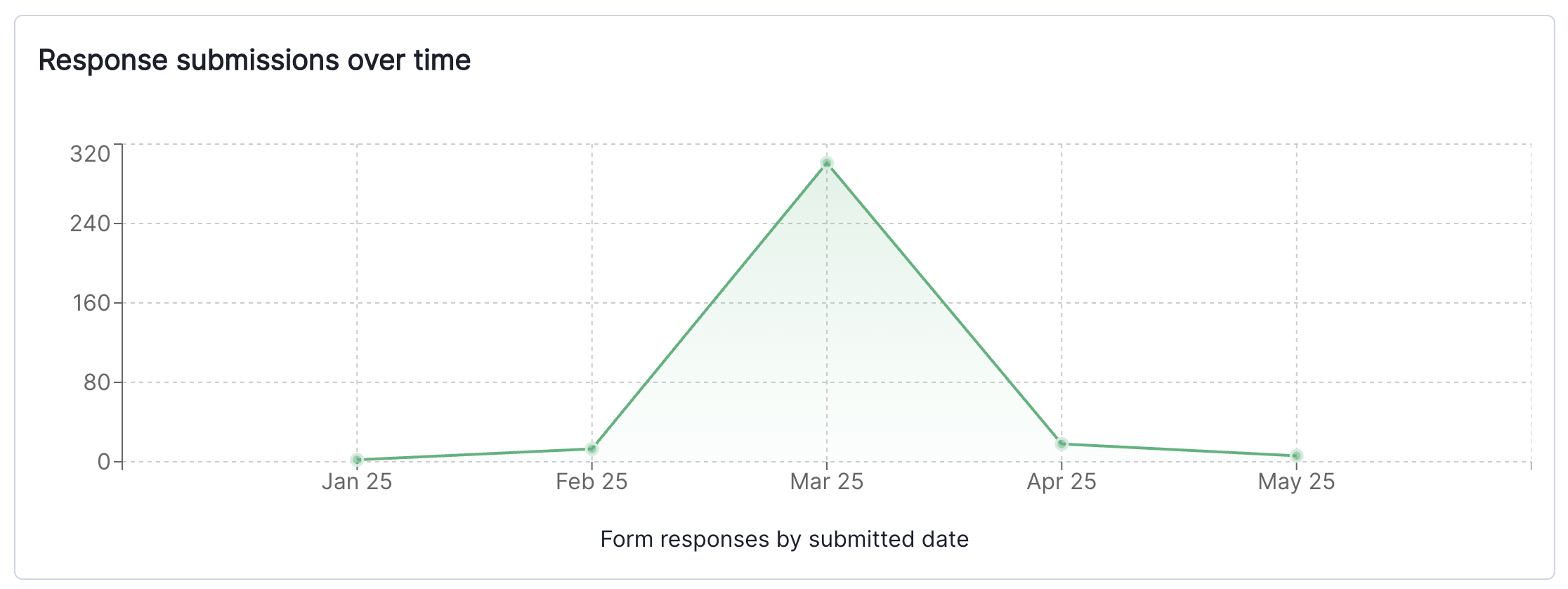
Response submissions over time
Available Soon
The new dashboard will be available soon for all Avela administrators. In the meantime if you have any questions about what to expect, you can visit the Understanding Your Dashboard article in our Help Center, or reach out to your Avela contact — we're happy to walk you through it.
And if you're not yet an Avela partner, we'd love to show you what enrollment can look like when the whole experience — for families and administrators alike — is designed with care. Get in touch with our team here.
