
Putting Enrollment on Autopilot: How Avela Lets Enrollment Teams Automate Waitlists, Offers, and Revocations
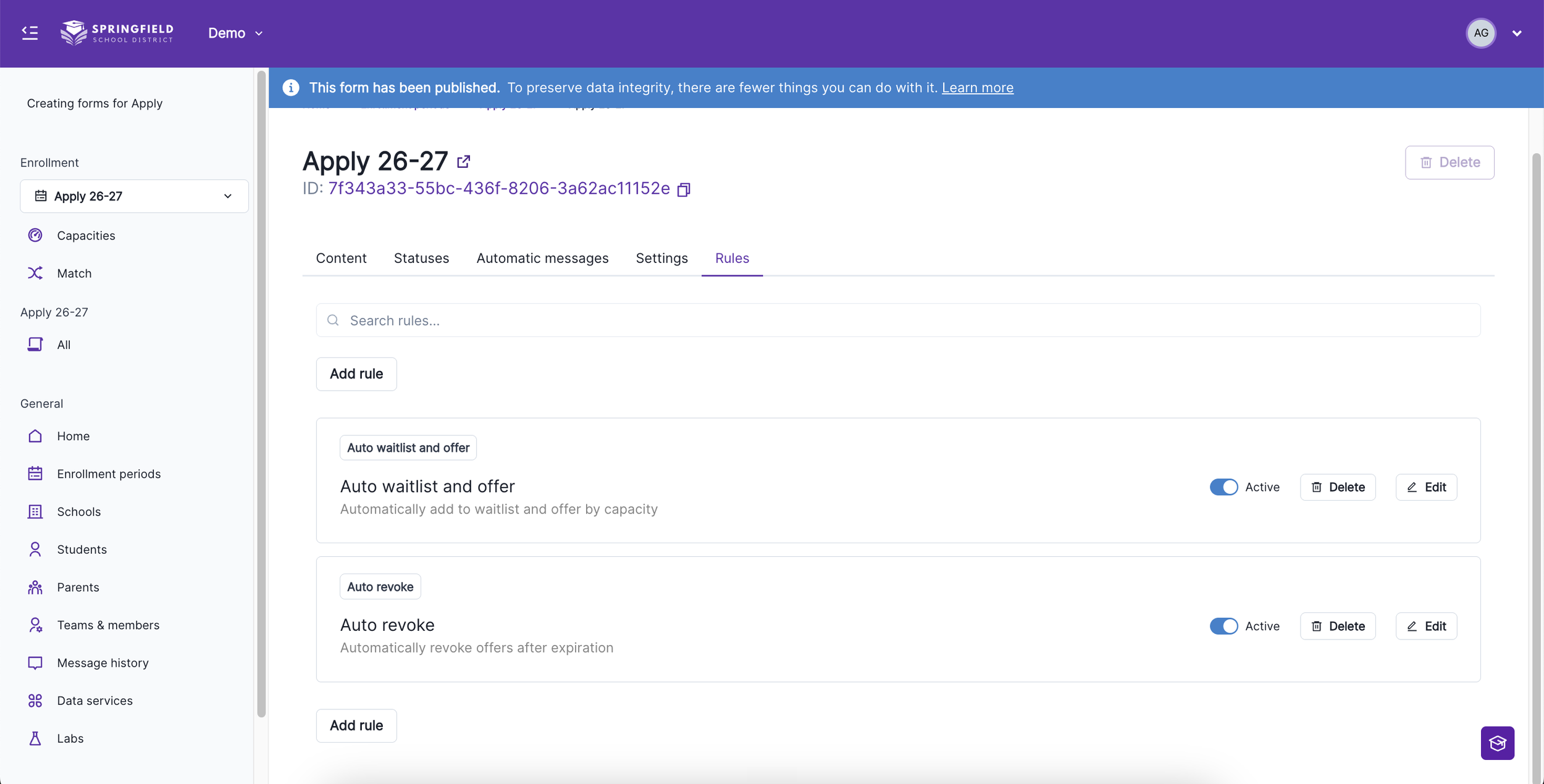
Setting up Rules in Avela
How Avela's new Rules give admissions teams their time back — one automation at a time, or all at once.
Post-lottery enrollment used to mean staff logging in every day to run the same manual checklist: waitlist eligible students, make offers as seats open, track expirations, and start the process over again tomorrow. It's repetitive, easy to fall behind on, and it's exactly the kind of work that shouldn't require daily manual attention.
That's why we built Rules — a set of configurable automations that let your enrollment process run itself, based on logic you set up once. You can turn on a single Rule to solve one specific pain point, or bundle them together for a fully automated post-lottery workflow: enrollment on autopilot.
Here's what's included, and how each piece works on its own or as part of the bundle.
Auto Tag
Before a student can be waitlisted or offered a seat correctly, they need the right priority applied — and that's where Auto Tag comes in. Based on how a family answers questions on the application, Auto Tag automatically applies enrollment priority tags like Dynamic Sibling or Employee Child.
Those tags determine where a student lands on the waitlist, so getting them applied correctly and immediately matters. Auto Tag runs first, ahead of Auto Waitlist and Auto Offer, so every student is in the right position before any waitlist or offer logic kicks in.
Auto Waitlist
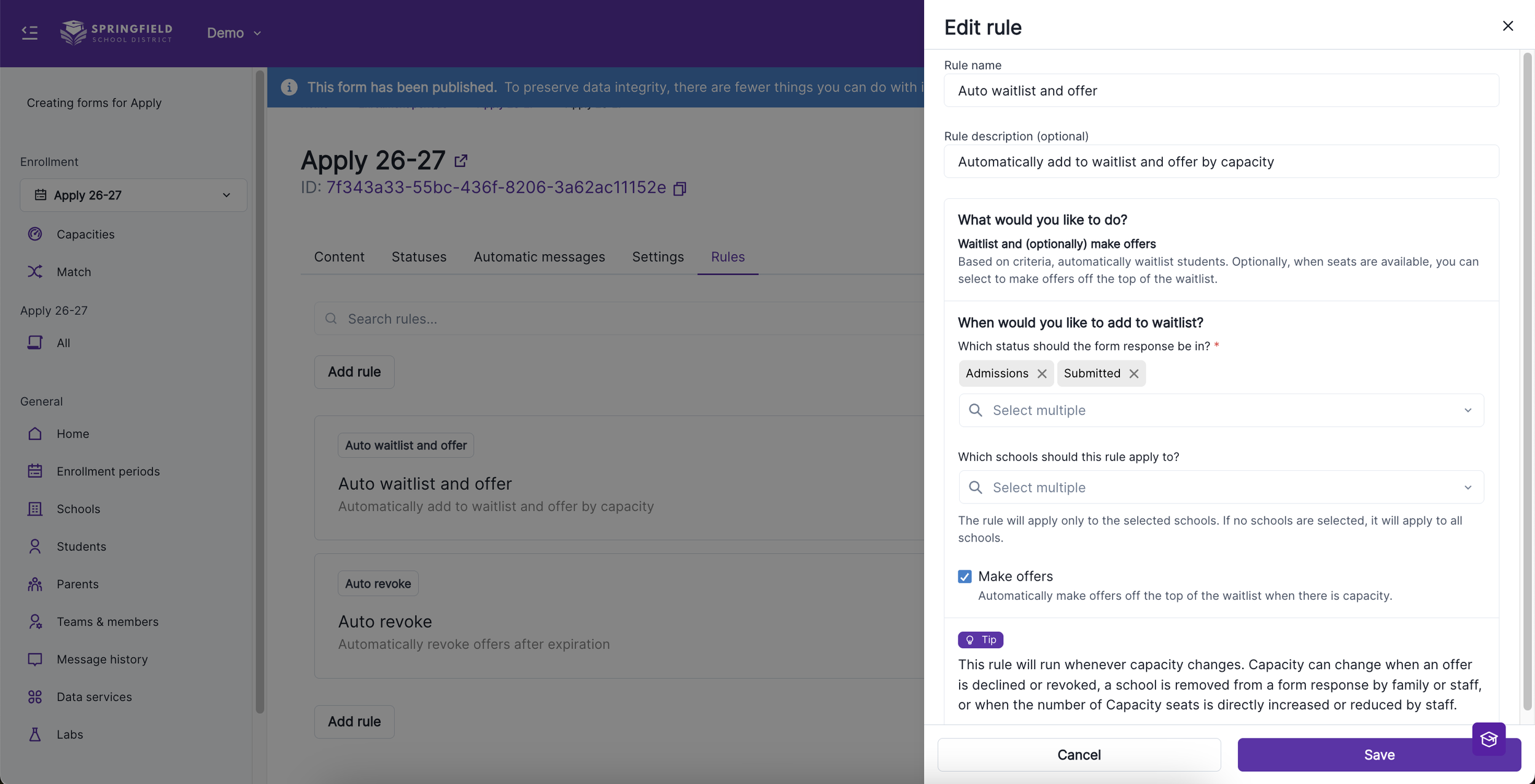
Setting up Auto Waitlist and Auto Offer
Auto Waitlist automatically places eligible students onto the waitlist, ordered according to your school's priority rules (siblings, staff children, and any other tags you've configured).
Set it up once on any form with a school ranking section — choose which application statuses trigger it and which schools it applies to — and Avela keeps the waitlist current from that point forward. No more manually moving new submissions to the waitlist.
Auto Offer
Auto Offer builds directly on top of Auto Waitlist. Instead of only placing students in line, it also makes the offer: when there's an open seat, Avela automatically extends it to the top student on the waitlist.
It's a single checkbox on your Auto Waitlist rule — off by default, so nothing changes unless you turn it on. Once it's on, the rule reacts to capacity changing in real time: when a seat opens up (because capacity increases, or an offer is declined or revoked), the next eligible student is offered automatically. Families no longer have to wait for staff to check their capacities and make offers — they receive the offer the moment a seat becomes available.
A note on timing: we recommend turning Auto Offer on for the post-lottery phase, once your initial lottery has run — not as a replacement for the lottery itself.
Auto Revoke
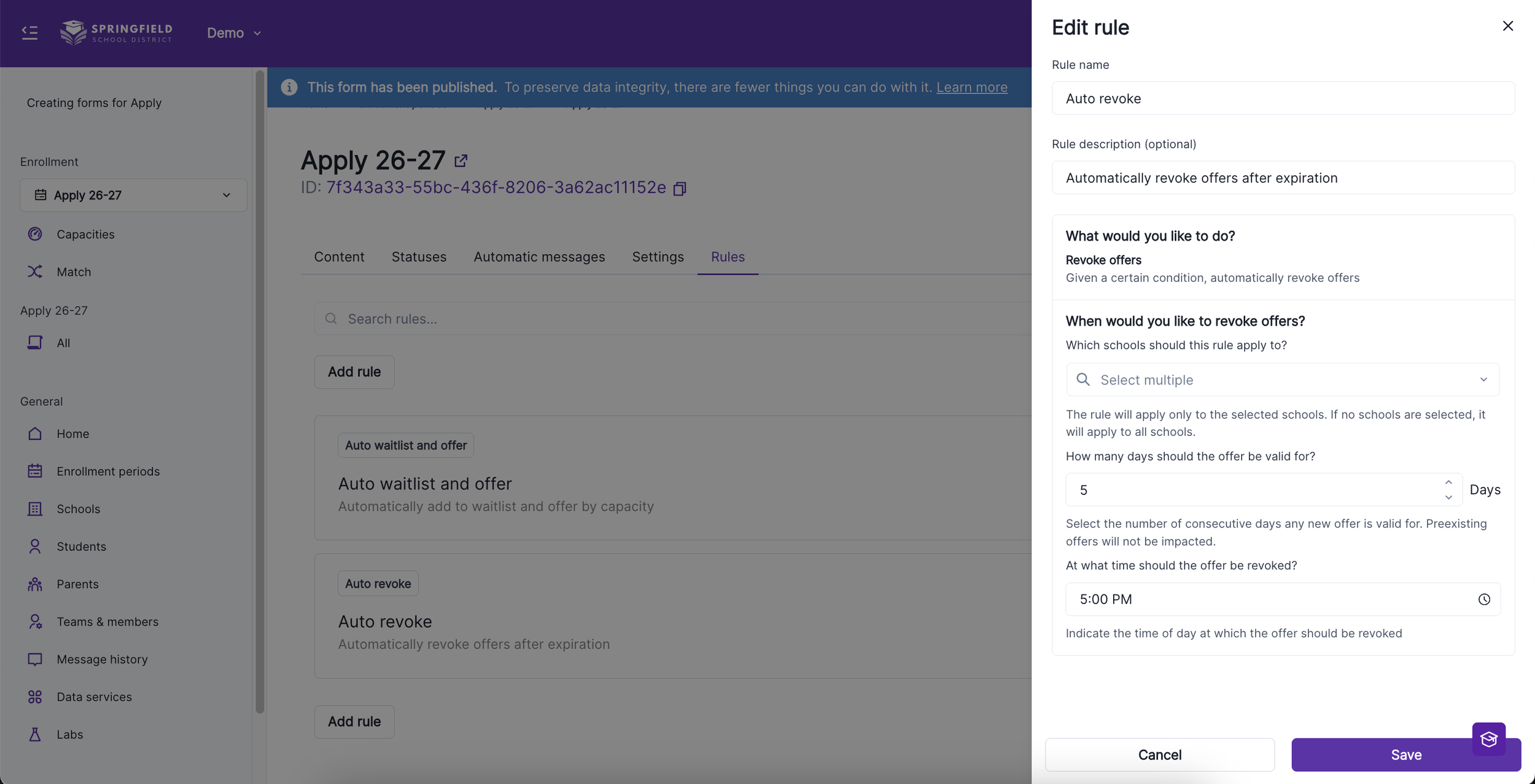
Setting up Auto Revoke
Offers don't wait forever, and now you don't have to track when they expire either. With Auto Revoke, you set how many days an offer stays valid and the time of day it should expire. The expiration date is visible to families right in their homescreen so there are no surprises. When that window closes, Avela automatically revokes the offer and reopens the seat — and if Auto Offer is turned on, the next student on the waitlist is offered that seat in the same motion.
What used to be a daily manual scan for stale offers now just simply happens. And in the case that a specific family or group of applicants needs more time, staff can override the expiration on an individual basis — or across a group — without turning off the rule for everyone else.
Better Together
Each Rule solves a real problem on its own. But they're designed to work as a system: Auto Tag makes sure every student is prioritized correctly from the start, Auto Waitlist keeps the line ordered, Auto Offer keeps seats moving the moment they open, and Auto Revoke keeps stale offers from clogging up the process. Turn on one, or turn on all four — the choice is yours, and each can be configured per school, not just org-wide.
The Time Savings
The whole point of Rules is to take the parts of enrollment that don't need a human — checking capacity, adding students to the waitlist tracking expiration dates — and let the system handle them, so staff can spend their time on the parts that do: actually talking to families.
One district using Rules had this to say after just their first day of using it:
"This is already super helpful — I adjusted capacities and already see accepted offers rolling in. 🙂"
That's the shift we're going for: staff set the policy once, and enrollment keeps moving on its own from there. Post-lottery enrollment shouldn't require a full-time watch shift. If you're ready to give your team their time back — and give families faster, clearer answers — we'd love to show you Auto-Offer in action.
Schedule a demo to see how Avela can put your enrollment on autopilot.
